

Live answer summaries show teachers where to focus their class's attention during the rest of the lesson
Role
Lead Product Designer
Duration
3 months
Feb – Apr 2024
Collaborators
2 PMs/TPMs
1 UXR
1 Content Specialist
4 Engineers
Legal Team
Competencies
Strategic UX leadership
Team building & empowerment
Diplomacy & persuasion
Systems thinking
Overview
Classcraft is a ready-to-use lesson tool that helps K-12 teachers save planning time while boosting student engagement through real-time interactivity and gamification.
Problem
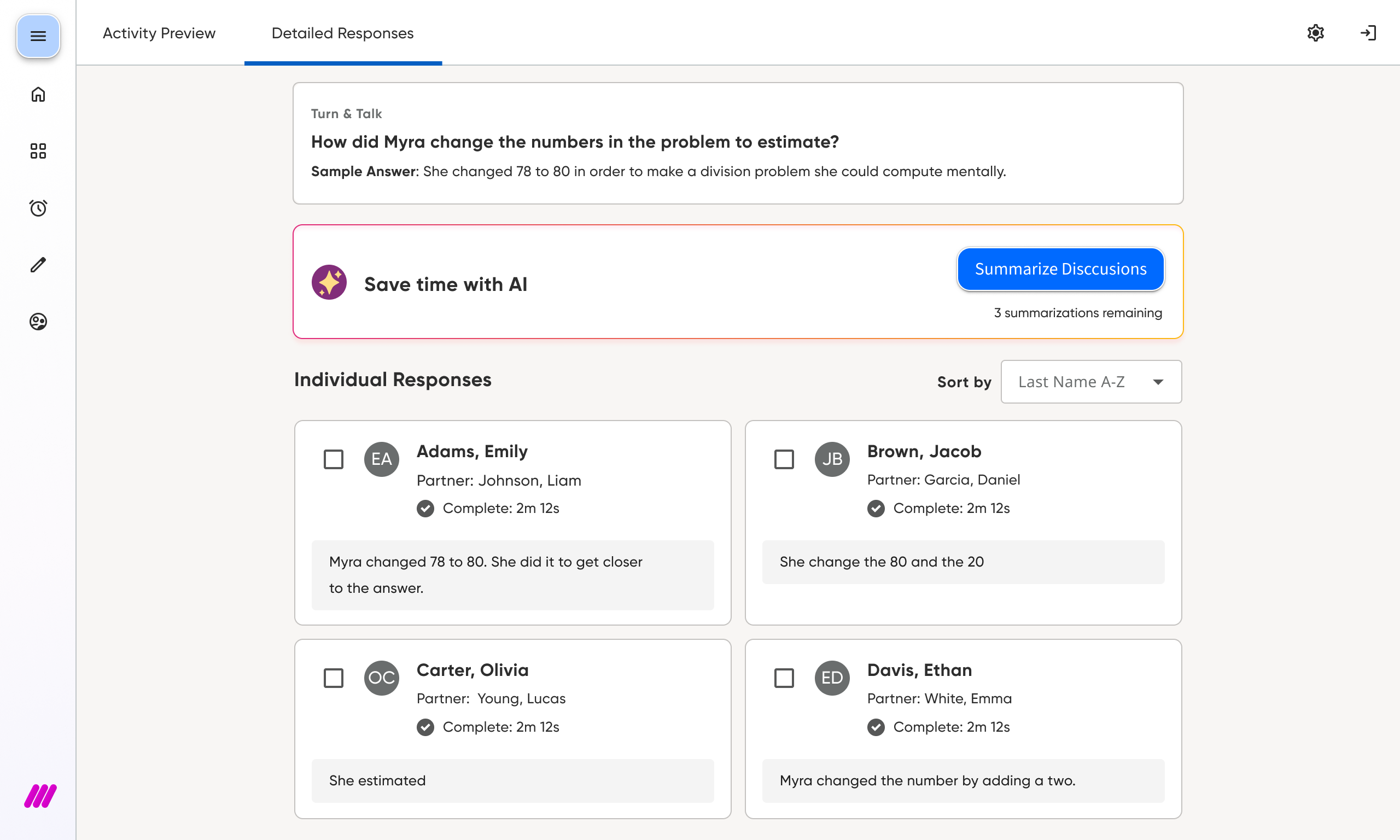
Imagine a class discussion, 30 students have shared ideas in pairs. The teacher can only listen to a few of those pairs. To track who really comprehended, they must to dig through every response on their computer, taking time away from teaching.
Solution
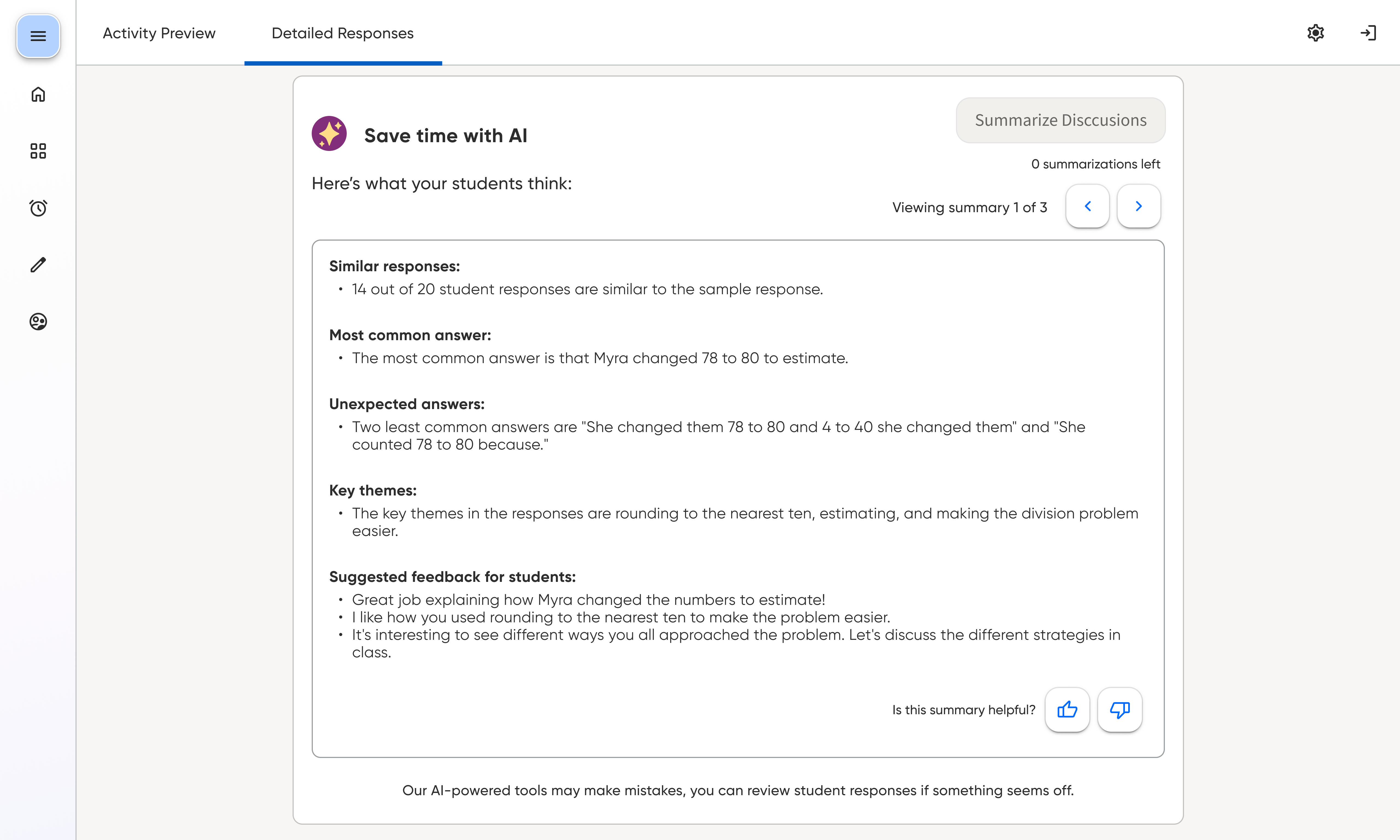
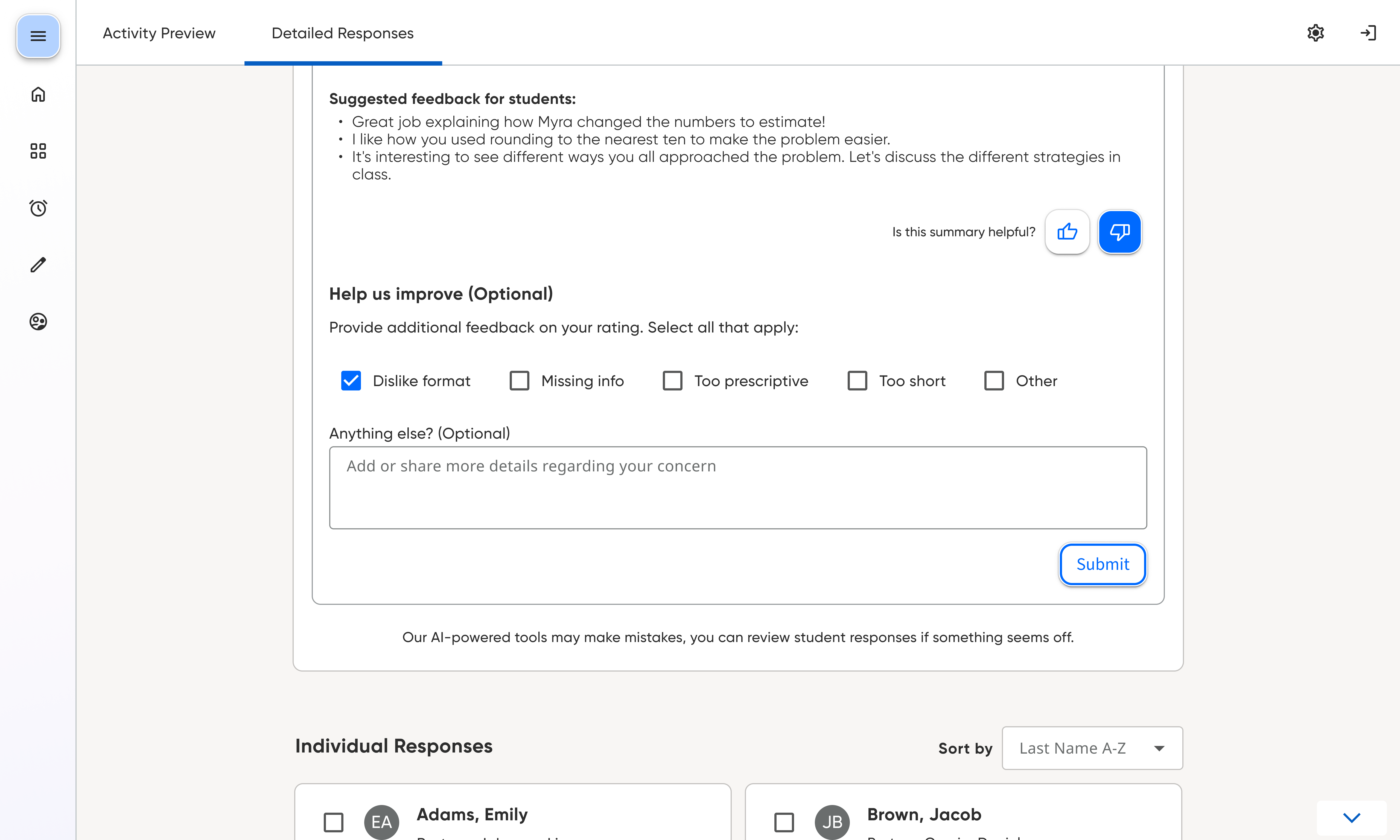
So we built a synthesis widget. One click turns the whole conversation into key themes and clear next steps. They see what the class understood and what they missed, providing mid-lesson adjustments & insights.
Core UX Offerings


Impact
90%
Reduction in review time
22min
Given back per lesson
Key milestones that drove success
Established early alignment to set strategic direction
I led the kickoff of this work by bringing the team together to map the core experience, focusing on critical classroom interaction moments to focus on, a process I call “workflow staging”. This not only clarified the user’s journey, but also opened the conversation to the summarization techniques to explore. This ensured everyone was synced up on the same outcomes from the start.

Validated value prop with early concept testing
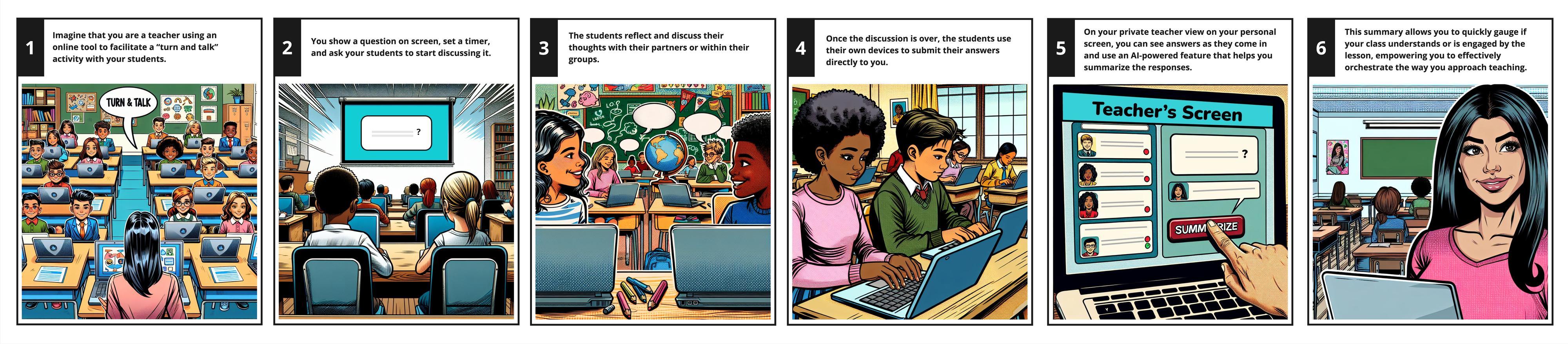
I created a storyboard that served as the grounding narrative during moderated interviews, ensuring teachers could contextually understand the high-level concept. The signal was strong: 33 teachers rated the concept 6.2/7, confirming a “green light” from project start.
Refined the summarization prompt through targeted testing
Our team tested multiple prompt variations by showing teachers example summaries and asking which felt most actionable, trustworthy, and clear. This led to a final prompt built around four essential categories: similar responses, unexpected answers, key themes, and suggested feedback — directly supporting instructional planning.

What this project reveals about me
Turning ambiguity into shared direction

Designing for alignment, not just for deliverables
Creating reusable patterns, not one-off solutions
Project endorsements
If I had to describe Jessica in one line, it'd be: the person you want in the room when things get real. She has this sharp instinct for cutting through the noise and finding what actually matters to users, not inventing solutions looking for a problem, but genuinely solving the right thing.
Yannick Dupont, Sr. Product Owner

